Last updated: August 24, 2026
Andrew Beaser, MD, Associate Professor of Medicine at the University of Chicago Medicine (UCM), described pre-implementation multi-portal workflows as “a major challenge and incredibly difficult.” That description matches what many device clinics experience every day.
A clinic managing several hundred device patients receives transmissions from scheduled checks, event-triggered alerts, routine diagnostics, and manufacturer notifications across multiple OEM portals. Daily volume can reach hundreds of transmissions, and most contain no clinically actionable findings. The consequences are measurable:
These systemic challenges set the stage for the specific monitoring errors that clinics manage every day. The next sections walk through common technical issues, how to interpret them, and what to do first.
A “no connection” status on a pacemaker monitor usually points to a transmission problem, not an immediate device failure. The table below separates transmission-system causes from true device issues.
| Symptom | Likely Cause | System or Device? | Immediate Fix |
|---|---|---|---|
| Monitor displays “no connection” | Home communicator unplugged or out of range | Monitoring system | Verify power and proximity, then reboot communicator |
| No connection after OEM portal update | Portal credential expiry or server outage | Monitoring system | Re-authenticate, contact OEM support, and use a redundant feed if available |
| No connection with normal device function on in-office interrogation | Cellular or Wi-Fi signal loss at patient home | Monitoring system | Assess home connectivity and switch communicator network mode if possible |
| No connection plus abnormal device diagnostics | Loss of telemetry from hardware defect | Device | Arrange urgent in-office interrogation and escalate per clinic protocol |
Hardware defects can cause loss of telemetry. Distinguishing a communicator connectivity drop from a hardware-level telemetry failure protects patient safety, not just administrative workflow.
Failure to capture and failure to pace describe distinct electrophysiological problems that require different responses.
| Finding | Definition | Common Cause | Numbered Fix |
|---|---|---|---|
| Failure to capture | Pacing spike present with no resulting myocardial depolarization | Lead dislodgement, elevated pacing threshold, lead fracture, battery depletion | 1. Confirm on 12-lead ECG. 2. Interrogate device in office. 3. Adjust output or reposition lead if confirmed. |
| Failure to pace | No pacing spike when one is expected | Oversensing that inhibits pacing, lead fracture, battery at ERI/RRT | 1. Review stored electrograms. 2. Check sensing thresholds. 3. Rule out electromagnetic interference. |
| Undersensing | Device fails to detect intrinsic cardiac activity | Lead maturation, lead dislodgement, programming error | 1. Interrogate and review sensing measurements. 2. Reprogram sensitivity. 3. Schedule lead evaluation if persistent. |
| Oversensing | Device detects non-cardiac signals as cardiac events | T-wave oversensing, myopotentials, electromagnetic interference | 1. Review stored electrograms. 2. Adjust sensitivity or refractory periods. 3. Identify and eliminate interference. |
A red indicator light on a home pacemaker communicator signals a status that needs staff review. The meaning varies by OEM, but the table below covers common scenarios.
| Red Light Scenario | Probable Cause | System or Device? | Action |
|---|---|---|---|
| Solid red after scheduled transmission window | Failed transmission, communicator could not reach OEM server | Monitoring system | Ask patient to reboot communicator, verify cellular signal, and retry transmission |
| Flashing red with no recent transmission | Communicator battery low or power interruption | Monitoring system | Replace or recharge communicator, then confirm transmission receipt in portal |
| Red light plus patient symptoms (syncope, palpitations) | Possible device alert or arrhythmia event | Device, urgent | Direct patient to emergency evaluation and retrieve alert from OEM portal immediately |
| Red light with ERI/RRT notification in portal | Battery at elective replacement indicator or recommended replacement time | Device | Schedule generator replacement and document that alert timing varies by manufacturer |
Complete, sudden pacemaker failure is rare in modern devices. Most malfunctions appear as gradual battery depletion, intermittent sensing errors, or lead issues that remote monitoring can detect long before they become life-threatening. Current remote monitoring systems enable early detection of device malfunctions or arrhythmias through wireless transmission of device data, though this capability does not replace the need for periodic direct patient contact.
Patients who are pacemaker-dependent rely on the device as their primary rhythm source. A sustained failure to pace in these patients represents a medical emergency that requires immediate evaluation. Clinic workflows must ensure that critical alerts from any OEM portal reach a qualified clinician within minutes, not hours. Platforms that consolidate alerts across all manufacturers and apply AI-powered triage specifically target this response-time gap.
Patients with symptoms such as syncope, near-syncope, or sustained palpitations need emergency evaluation. They should not wait for the next scheduled remote transmission.
These safety realities connect directly to the most frequent monitoring errors clinics see. The next list summarizes those errors and the first steps to take.
Clinics that manage patients across Medtronic, Abbott, Boston Scientific, and Biotronik must log into several proprietary remote monitoring portals. Staff then manually pull and reconcile transmission data, a time-consuming and error-prone process that does not scale for high-volume programs.
UCM managed over 73,000 reports annually, with high dismissal rates reflecting the structural reality that most OEM-generated alerts are nonactionable. Processing that volume across separate portals without automation creates unsustainable administrative overhead and exposes practices to CPT documentation gaps that directly reduce reimbursement.
The billing impact grows under the 2026 CMS updates. Practices without unified tracking of transmission frequency per patient risk missing the 2–15 days within a 30-day period threshold that unlocks expanded billing eligibility. Clinics then leave revenue uncaptured even though staff already performed the clinical work.
A vendor-agnostic cardiac data platform ingests and normalizes data from all major CIED manufacturers into a single clinician interface. This approach prevents repeated integration work when hardware suppliers change. To address fragmentation, alert fatigue, and revenue leakage, platforms in this category need several core capabilities:
Atrium Health already handles loop recorders, pacemakers, and ICDs together on a single platform while integrating Apple Watch and AliveCor tracings into consistent review, documentation, and reimbursement workflows. That model shows the operational ceiling that unified infrastructure can reach.
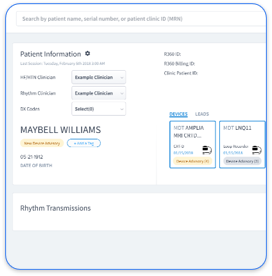
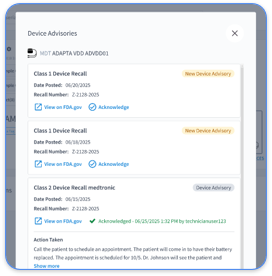
Rhythm360, developed by RhythmScience, is a vendor-neutral, HIPAA-compliant, cloud-based platform built for CIED and chronic disease remote monitoring. Its core capabilities map directly to the monitoring failure modes described earlier and work together as a single workflow:
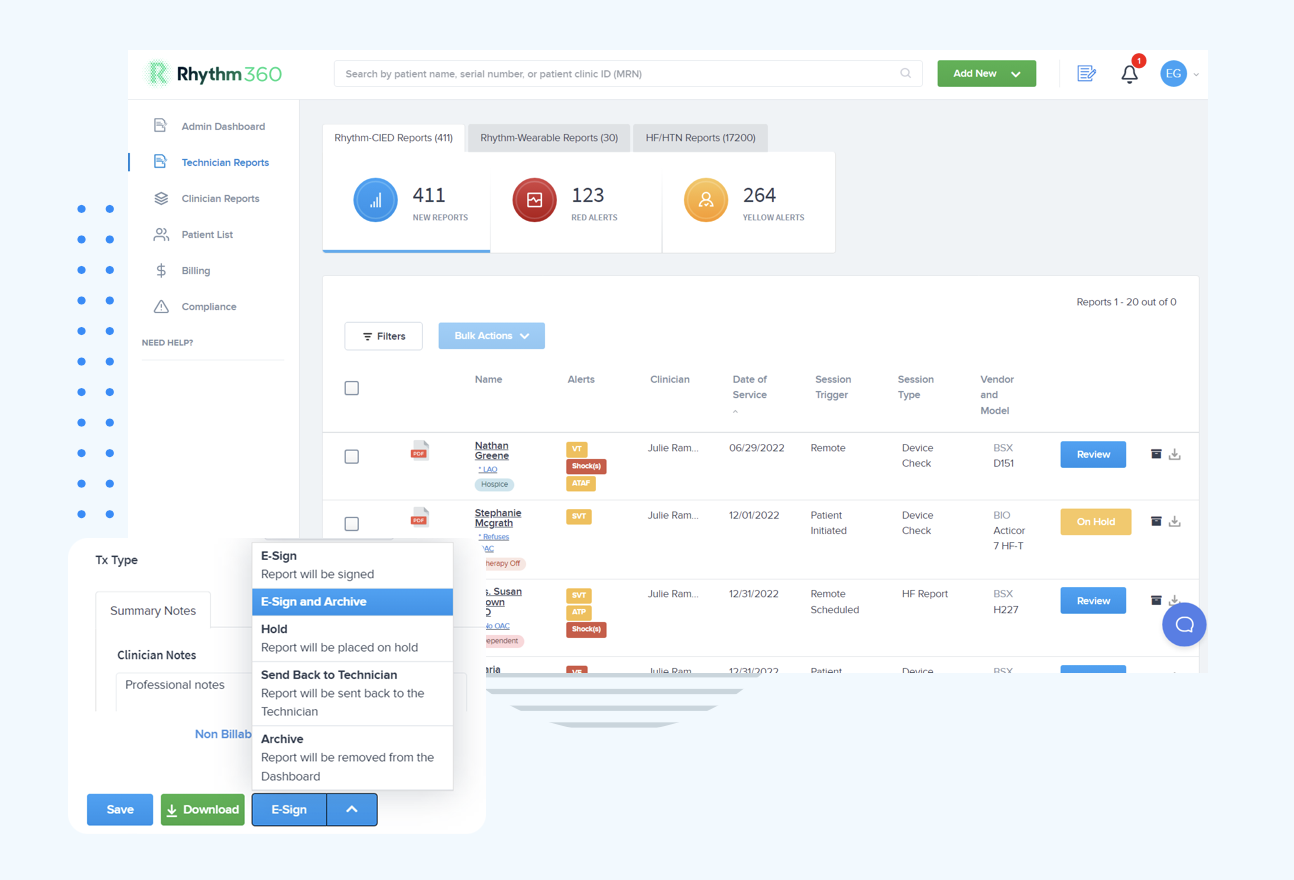
Gaurav A. Upadhyay, MD, FACC, FHRS, at UCM, emphasized the value of “an integrated review of data from trained personnel,” which Rhythm360 delivers through its combined AI triage and optional CCT oversight model.
The operational case for a unified monitoring platform rests on measurable results across connectivity, workload, and reimbursement.
Pacemaker generator battery longevity varies by manufacturer, device type, and programming. Remote monitoring transmissions and in-office interrogations have a limited effect on battery depletion. Clinics should recognize that manufacturer longevity estimates carry variability. Not all devices reaching the replacement interval trigger the alert at the same time, so consistent remote monitoring remains essential for timely identification of devices approaching end of service.
Remote pacemaker monitoring accessed through a mobile application is HIPAA-compliant when the application runs on a HIPAA-compliant infrastructure with end-to-end encryption, access controls, audit logging, and a signed Business Associate Agreement (BAA) between the vendor and the covered entity. Rhythm360’s mobile application follows these requirements, so clinicians can review transmissions, sign reports, and coordinate care from smartphones without compromising patient data security. Practices should confirm that any mobile monitoring solution maintains a full audit trail of all access events and communications, because this documentation supports HIPAA compliance and risk management.
Onboarding timelines for vendor-neutral CIED monitoring platforms depend on EHR integration complexity, the number of OEM data feeds, and the size of the existing patient population. For Rhythm360, implementation, including EHR integration setup, typically takes from a few days to a few weeks. Support for HL7, API connections, and XML feeds speeds integration with major EHR systems such as Epic, Cerner, Athenahealth, and eClinicalWorks. Practices with large existing device populations can migrate patient records and begin consolidated monitoring without extended downtime.
The key distinction lies in whether the abnormality persists during direct in-office interrogation. A monitoring-system error, such as a failed transmission, portal connectivity drop, or communicator malfunction, resolves or disappears when the device is interrogated directly in the clinic. A true device malfunction, such as failure to capture, undersensing, or lead fracture, remains reproducible and measurable during in-office interrogation through direct telemetry. Per ACC/AHA/HRS guidelines, remote monitoring serves as an adjunct to, not a replacement for, in-person clinic visits. Persistent abnormalities on transmitted data require direct device evaluation. Unified platforms that aggregate data from all OEM feeds and flag transmission anomalies separately from device-diagnostic alerts help staff make this distinction faster and with greater confidence.
Common pacemaker monitoring problems extend far beyond device malfunctions. Most daily operational failures in device clinics, including missed transmissions, alert fatigue, connectivity gaps, and CPT documentation errors, arise from fragmented, multi-portal monitoring infrastructure. Clinics need a platform that unifies data ingestion, automates triage, and captures billing documentation without adding workload to already stretched teams.
Rhythm360 by RhythmScience is built for this operational reality. Its redundant data architecture, AI-powered triage, and automated billing workflows deliver the transmissibility and response-time improvements described above and convert remote monitoring into a reliable, revenue-positive service line for practices that consolidate onto a single, vendor-neutral system.